Which documents should a pest control provider keep on site for a restaurant client's audit?
Commercial food accounts are won and lost on the on-site pest binder. Here is what a third-party auditor expects to find in it, and how to keep it current between service visits.
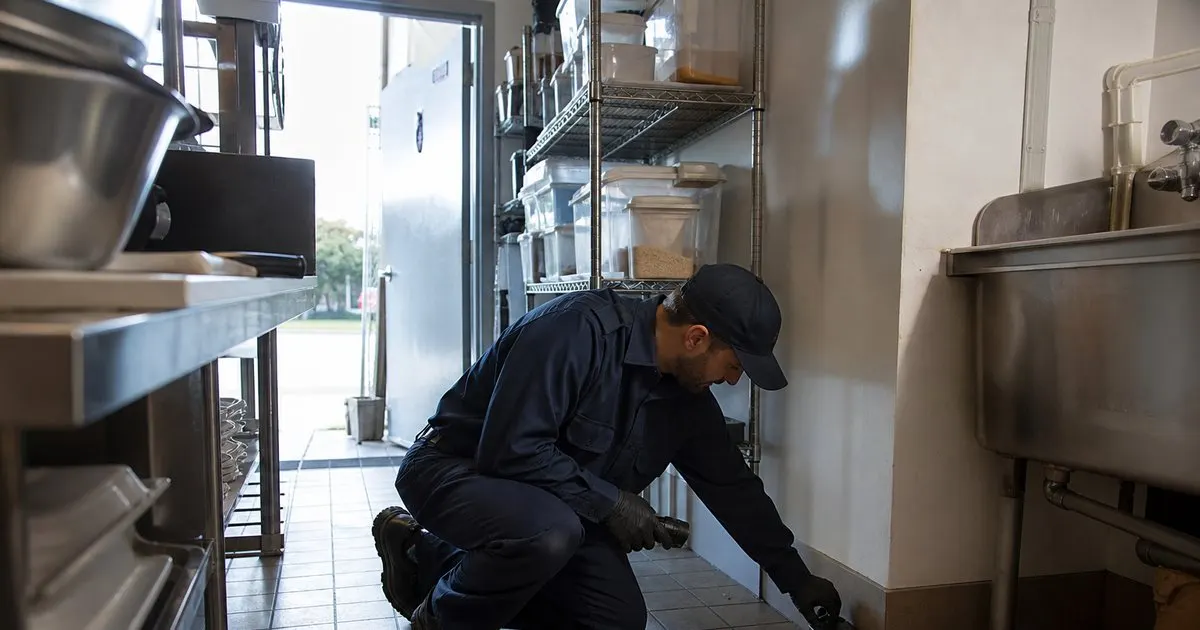
What an auditor opens first, and why it usually decides the score
A third-party food safety auditor is on a clock. When they reach the pest section they want to confirm three things quickly: that a licensed provider services the site, that visits actually happened on the frequency the client claims, and that anything found on the last visit was closed out. If those three answers are sitting in the first few pages of the binder, the conversation stays short. If the auditor has to dig, they start reading everything, and reading everything is how small gaps turn into findings. Related: When should you schedule recurring pest control visits for the best results?
The problem we hear about most from operators is almost never a missing program. It is a binder that drifted out of date. An applicator certificate expired in March and nobody swapped the copy. The device map still shows eight exterior stations when the landscaper removed two during a parking lot repave. A sanitation deficiency was written up four visits ago and there is no note saying whether the client ever fixed it. None of that means the pest program is bad. It means the paperwork stopped describing the program you are actually running, and the auditor can only grade what is in front of them. Related: How do you stay compliant with pesticide record keeping laws in the United States?
Keep reading: How do you plan the most efficient pest control route for a busy day?, What is the best way to log chemical applications at every service stop?, Why does keeping a treatment history per property matter for pest control?. See how PestPatrolr helps you pest control route scheduling and treatment logging.
The core set of documents that belongs in every commercial binder
Start with credentials and scope. Keep a current copy of the company license for the state, the applicator certification or registration for every technician who services that address (including whoever covers vacations), and a certificate of insurance if the client's program requires one. Add the signed service agreement or scope of work so the auditor can see what frequency and what services the client is actually paying for. Then product information: the label and the safety data sheet for every product applied or placed at the site, including rodenticide blocks in exterior stations and any insect growth regulator used in drains or voids. Related: How do you plan the most efficient pest control route for a busy day?
Next comes the service record itself. Keep the device map and numbered device list, service tickets going back at least twelve months (many audit schemes look for twelve to twenty-four months, so ask the client which standard they are audited against), and a trend or summary report that rolls those tickets up. Finish with the two-way parts most binders forget: dated sanitation and structural deficiency notices you have given the client, each with a note on whether it was corrected, and a sighting log the client's staff can write in between your visits. Add an after-hours contact number on the inside cover, and keep a duplicate digital copy so a lost binder is a nuisance rather than a crisis. Related: What is the best way to log chemical applications at every service stop?
Device maps and trend data that hold up under questions
A device map is credible when the numbers on paper match the numbers physically on the devices, and when the map is oriented the same way as the building. Number exterior stations in one consistent direction from a fixed landmark such as the front door or the dumpster corral, list interior multi-catch traps and insect light traps in their own sections rather than mixing them into one running count, and date every change when a device is added, moved or removed. Auditors do count devices. If they walk the exterior and find station seven where the map says eleven, everything else in the binder gets a harder look.
Trend data is where a good program separates itself. Recording a capture count per device per visit is only the first half. The half that earns credit is showing what you did about it. When one area shows repeated activity, the notes beside it should show the sequence: increased monitoring, a structural or sanitation recommendation to the client, a follow-up visit, and the count coming back down. Auditors are not looking for a site with zero activity, because that site does not exist in food service. They are looking for evidence that activity gets noticed and acted on rather than logged and forgotten.
Keeping the binder current between service visits
Assign ownership explicitly. The technician who services the site updates the binder at the site, at the end of the stop, while the details are fresh. Filling in three weeks of tickets from the truck on a Friday afternoon produces records that look identical, which is its own red flag. If you log treatments digitally, print or leave the ticket at the stop and let the software hold the trend report, the device list and the photo history, so rebuilding a binder after a flood or a manager change takes minutes instead of a week.
Then get ahead of the audit itself. Ask each commercial client what scheme they are audited against and roughly when their window falls, and put a task on your schedule six to eight weeks before it. Use that visit as a pre-audit walk: verify device numbers against the map, confirm no certificate or insurance copy is close to expiring, check that every open deficiency notice has an outcome written next to it, and sit down with the manager for ten minutes on anything the client needs to fix on their side. Operators who do that walk once a year spend far less time on emergency binder rebuilds the night before an auditor arrives.
- Put credentials, scope of work and the last two service tickets at the front so the auditor can confirm the basics in under a minute.
- Keep labels and safety data sheets for everything applied or placed on site, including exterior rodent stations.
- Device numbers on the map must match the numbers physically on the devices, and every move or removal needs a date.
- Trend data earns credit only when the corrective action sits next to the spike that triggered it.

Julien Jimenez
Julien Jimenez is an independent software builder based in Paris. He designs, ships, and operates focused SaaS products for small businesses and independent professionals. Read the full author page.
Route Every Tech, Log Every Treatment
Pest control route scheduling and treatment logging. PestPatrolr is built to help you put this into practice.
Start free trialMore from the PestPatrolr blog
How do you plan the most efficient pest control route for a busy day?
What is the best way to log chemical applications at every service stop?
Why does keeping a treatment history per property matter for pest control?
Get the PestPatrolr playbook
Practical guides on pest control software, straight to your inbox as we publish them. No spam, unsubscribe any time.