How much time should a technician budget per stop on a residential pest route?
Rushing stops causes callbacks. Padding them kills the route. The right number depends on the property, and you can find it from your own data.
Why a single number does not work
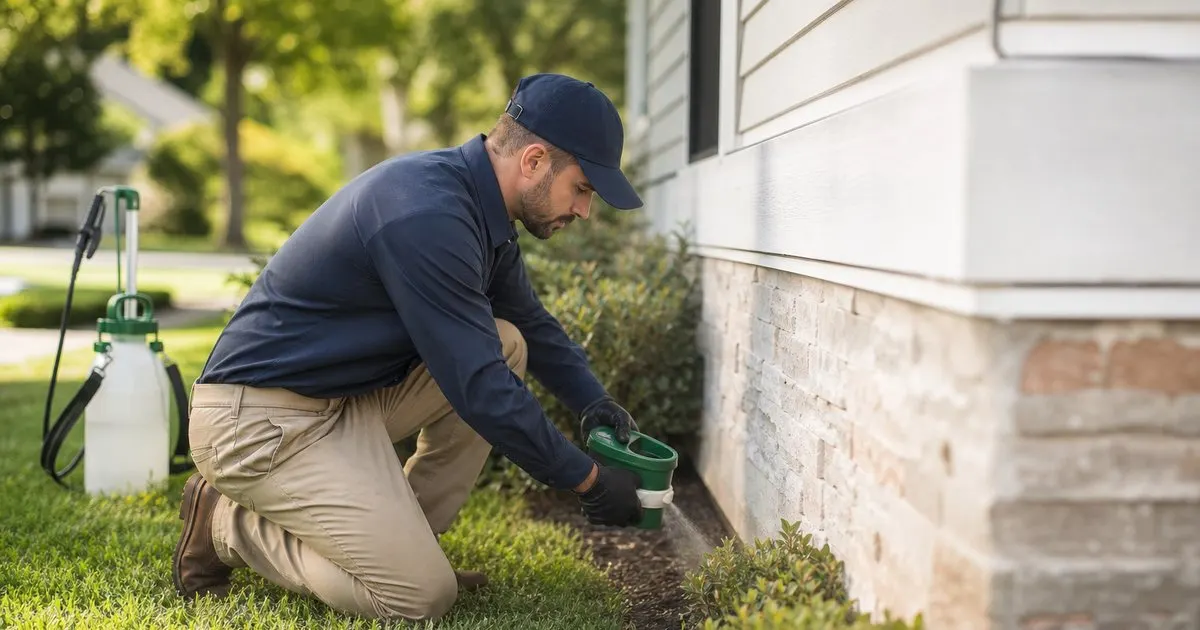
Ask ten owners how long a stop takes and you will hear everything from ten minutes to forty-five. They are all right, for their own routes. A perimeter-only quarterly on a small ranch house with no activity is a fundamentally different piece of work from an interior and exterior service on a large two-story with a crawlspace, a detached garage, and a customer who wants to talk. Budgeting the same time for both guarantees that one of them is done badly. Related: When should you schedule recurring pest control visits for the best results?
The useful approach is to classify stops into a few types and assign a time budget to each. A common split is exterior-only maintenance, interior plus exterior maintenance, initial service on a new account, and callback or problem visit. Most operators find those four buckets cover the vast majority of residential work, and the gaps between them are large enough that the classification matters when building a day.
Keep reading: How do you plan the most efficient pest control route for a busy day?, What is the best way to log chemical applications at every service stop?, Why does keeping a treatment history per property matter for pest control?. See how PestPatrolr helps you pest control route scheduling and treatment logging.
Building the budget from your own logs
The best source of stop times is not a rule of thumb. It is your own treatment logs, if they capture arrival and departure. Pull the last few months of stops, group them by type, and look at the middle of the distribution rather than the average, because averages get dragged up by the occasional two-hour disaster. That middle number, per stop type, is your starting budget. If your logs do not capture time, start recording it now; a month of honest data is worth more than any benchmark.
Then look at the outliers on both ends. Stops that consistently run short are either genuinely easy or being skipped through, and the callback history will tell you which. Stops that consistently run long usually have a reason worth noting on the account: a gate code the tech always has to call for, a dog that has to be secured, a customer who walks the property with the tech every time. Noting those on the customer record lets whoever builds the route budget them accurately instead of being surprised. Related: Why does keeping a treatment history per property matter for pest control?
What the budget has to include beyond the treatment
The treatment itself is often the smaller part of the stop. Budget for the walk-around inspection, because skipping it is the leading cause of missed conditions that turn into callbacks. Budget for documentation, done on site, not in the truck at the next red light. Budget for the customer conversation, which on a good day is a two minute update at the door and on some days is a fifteen minute discussion about the ants in the pantry. And budget for restocking and mixing between stops, which quietly consumes more of the day than most owners realize. Related: What is the best way to log chemical applications at every service stop?
A realistic budget for a routine exterior stop, then, is not "ten minutes of spraying." It is inspection, treatment, notes, a brief customer contact, and the walk back to the truck. Seen that way, the difference between a twelve minute stop and a twenty minute stop is not speed. It is whether the inspection and the notes happened. The twelve minute version will produce a callback often enough to cost more than the eight minutes it saved.
Turning stop budgets into a route that finishes on time
Once every stop has a type and a time budget, building the day becomes arithmetic. Add up the budgeted stop times, add realistic drive time between them, add a lunch break and a buffer, and see whether the total fits the shift. If it does not, the answer is to remove stops or reorder them, not to shave minutes off each one. Route software that carries a per-stop duration and computes the day for you makes this visible before the truck leaves; without it, a spreadsheet does the same job with more effort.
Then measure the plan against reality. If a technician consistently finishes an hour early, either the budgets are padded or the stops are being rushed, and the callback rate will tell you which. If a technician consistently finishes late, look for the specific stops that overran rather than blaming the whole route. Over a few months, the budgets get tighter, the accounts with special conditions get flagged, and the route starts finishing when the plan said it would. Related: How do you plan the most efficient pest control route for a busy day?
- Budget by stop type, not by a single number: exterior-only, interior plus exterior, initial service, and callback.
- Pull the budget from the middle of your own logged stop times, not from a benchmark.
- Include inspection, on-site notes, customer contact, and restocking, not just application time.
- Build the day by adding budgeted stops, drive time, and a buffer, then compare plan to actual every week.

Julien Jimenez
Julien Jimenez is an independent software builder based in Paris. He designs, ships, and operates focused SaaS products for small businesses and independent professionals. Read the full author page.
Route Every Tech, Log Every Treatment
Pest control route scheduling and treatment logging. PestPatrolr is built to help you put this into practice.
Start free trialMore from the PestPatrolr blog
How do you plan the most efficient pest control route for a busy day?
What is the best way to log chemical applications at every service stop?
Why does keeping a treatment history per property matter for pest control?
Get the PestPatrolr playbook
Practical guides on pest control software, straight to your inbox as we publish them. No spam, unsubscribe any time.